
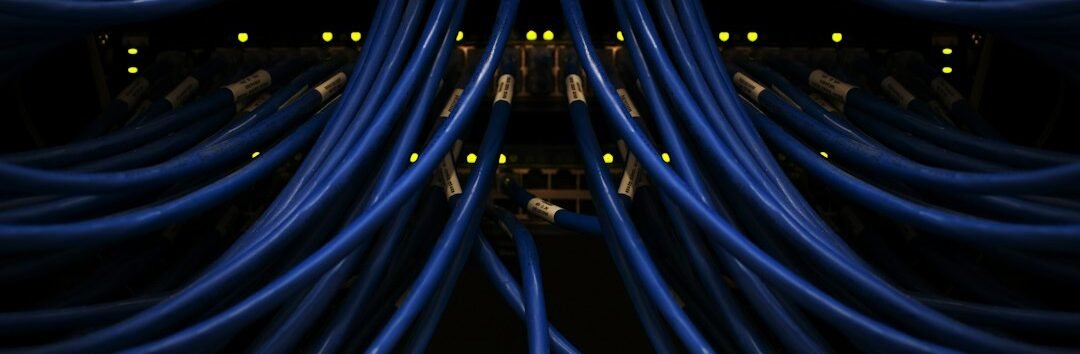
Enterprise Network Design and Implementation Enterprise Network & Fiber Infrastructure
بنية تحتية هندسية للمصانع والفنادق والمستشفيات والجامعات والكمبوندات والمباني الإدارية، من Structured Cabling وFiber Backbone إلى Core Switching وEnterprise WiFi والتكامل مع جميع أنظمة ELV. للاطلاع على نماذج من أعمالنا، راجع مشروعات AY Technology.
The Network Is the Backbone of the Project
In large projects, the network is not designed for Internet access alone. The same Infrastructure may carry Data, IP CCTV, Access Control, IP Telephony, IPTV, WiFi and management systems. Correct implementation therefore starts with a clear Architecture, calculated capacities and scalable Fiber routes.
Scope of Work for Large Projects
Cat6/Cat6A, Patch Panels, Faceplates, Cable Management, Labeling and complete organization inside the Racks.
Single Mode / Multi Mode, ODF, Pigtails, Fusion Splicing and connectivity between buildings, floors and telecom rooms.
Design of Core/Distribution/Access layers with Managed PoE, Layer 2/3 and SFP/SFP+ according to traffic requirements.
Engineered coverage, Access Points and centralized management with Staff/Guest/IoT segmentation according to project requirements.
Segmentation of cameras, staff, guests, phones and IoT to improve security, performance and management.
Fluke Test for copper and OTDR/Power Meter for fiber when required, with Labeling, As-Built documentation and organized handover.
Enterprise Network Architecture
Fiber Backbone for Large Buildings and Sites
When a project includes multiple buildings, several floors or long distances, the Fiber Backbone becomes the foundation for high-speed connectivity. Core count, Single Mode or Multi Mode selection and Uplink capacities are defined according to distance, current load and future expansion.
For engineering details about inter-building design and connectivity, see the Fiber Optic Backbone Guide and Fiber Clusterand also Structured Cabling Guide.
One Network Supporting All Project Systems
PoE, VLANs, Uplinks and capacities sized for video streams and recording traffic.
Connect Controllers, Readers and Face Recognition systems through stable and secure infrastructure.
Configure Multicast, IGMP and VLANs to support video distribution across the project network.
Integration details are also available in Integrated ELV & System Integration, Enterprise CCTV, Enterprise Access Control and IP Digital TV & IPTV.
How We Design an Enterprise Network from the Start
Professional design does not start by choosing a Switch or Access Point. It starts by understanding the project type, number of users, device count, systems that will depend on the network, and distances between telecom rooms and buildings. AY Technology therefore follows an engineering methodology that reduces rework and prevents bottlenecks before they appear.
Survey telecom rooms, pathways, point counts, distances, power sources, ELV systems, user count and expected expansion.
Estimate Data, CCTV, WiFi, VoIP, IPTV and Server loads to determine the required Uplink and Backbone capacities.
Plan IP Addressing, VLANs, Routing, QoS, DHCP, Management Networks and segmentation of sensitive services.
Structured Cabling, Fiber Backbone, Racks, Patch Panels, Cable Management, Faceplates and Labeling.
Core Switches, Distribution/Access, PoE, Firewalls, Controllers, Access Points and SFP/SFP+ Modules.
Fluke Test, OTDR/Power Meter, Configuration Backup, Port Schedule, IP Plan, Rack Layout and As-Built Documentation.
Capacity and Uplink Planning Before Selecting Switches
One of the most common mistakes is selecting switches based only on the number of Ports. In large projects, each Access Switch load, PoE utilization, number of IP cameras, WiFi user density, phone count, Server traffic and Multicast traffic must all be calculated.
Suitable according to user requirements, Access Point type and endpoint devices, while considering WiFi 6/6E/7 deployments that may require Multi-Gigabit access.
Determined according to total Access Layer load rather than arbitrary selection, especially for CCTV, Data Center and High-Density WiFi.
Calculate the power consumption of Cameras, APs, IP Phones and Access Control devices with expansion headroom, not only by port count.
Core, Distribution & Access Switching
For medium and large projects, we determine whether a Two-Tier or Three-Tier Architecture is required. Some buildings can operate with Core/Access, while Campus and multi-building environments benefit from separating Core, Distribution and Access for higher reliability and easier management.
Aggregate the Backbone and central Routing and connect Firewalls, Servers and the Data Center at suitable speeds with Redundancy options.
Aggregate multiple buildings or floors, apply policies and connect the Access Layer to the Core through properly sized Fiber Uplinks.
Connect users, APs, CCTV, IP Phones and Controllers with PoE, VLANs and Port Security where required.
For more details about switch selection and network architecture, see Enterprise Network Switch Guide and Company Network Design Guide in Egypt.
Enterprise WiFi: Coverage Is Not About the Number of Access Points
Installing many Access Points does not automatically create a better WiFi network. Correct design considers Coverage, Capacity, Roaming, Channel Planning, Interference, wall materials, concurrent users and application requirements.
Guest WiFi with Staff and IoT segmentation, connecting APs to stable PoE infrastructure and a properly sized Backbone.
Coverage for meeting rooms and high-density areas with Roaming and centralized management.
Coverage for large spaces, industrial environments and storage aisles with antenna-placement and interference planning.
See also Enterprise WiFi Design and Implementation for Large Projects in Egypt.
Server Room, Racks & Network Rooms
A strong network requires organized telecom rooms. The design therefore includes Rack sizing, Patch Panel and switch layout, Cable Managers, PDU, UPS, grounding, ventilation, maintenance space, and numbering of every point and Fiber Core.
The main point for Core, Firewalls, Servers, Internet Links and the main ODF.
Access Switches, Patch Panels and ODF by floor or zone, with a Fiber Uplink to the MDF.
Rack Elevation, Port Mapping, Patch Schedule, Device Naming and IP Management to simplify operation and maintenance.
More details in Enterprise Server Room Design and Implementation.
VLAN, Security & Network Segmentation
Service segmentation is one of the most important elements of an enterprise network. Users, cameras, Guest WiFi, phones and BMS should not share one Broadcast Domain. Correct segmentation improves security, reduces faults and simplifies policy enforcement.
Employee devices and administrative systems according to access permissions and policies.
Isolate IP cameras and NVR/VMS from the user network while allowing only the required traffic.
Complete separation from the internal network with suitable Internet Access policies.
IP Telephony with QoS and voice-traffic priority to reduce Jitter and Latency.
Access Control, Controllers, BMS and IoT devices placed in separate and monitored network segments.
Manage switches, APs and active infrastructure through a dedicated and restricted management network.
Fiber Backbone & Redundancy Strategy
For multi-building sites, we select an appropriate Topology such as Star or Ring according to the required reliability, while calculating spare Fiber Cores, alternative routes where needed, SFP/SFP+ type, loss budget, Splicing points and ODF locations.
For deeper implementation and testing details, see Fiber Optic Network Design and Implementation Guide and OSILAN Structured Cabling & Fiber Solutions.
Testing, Commissioning & Handover
Professional handover does not stop when Internet connectivity works. Passive and active infrastructure is tested, results are documented, and the client receives documents that support operation, maintenance and future expansion.
Fluke Test according to project scope to verify cable, link and Termination quality.
OTDR and Power Meter testing when required, with documentation of routes, loss and Splice Points.
Uplink Speed, VLAN Connectivity, PoE, Failover, DHCP, Routing, WiFi and Access Policies.
As-Built, IP Plan, VLAN Plan, Port Schedule, Rack Layout and Device Inventory.
Backup switch, Firewall and Controller configurations according to the agreed handover scope.
Explain core operation procedures to the IT team and hand over maintenance and technical-support points.
What Should a Professional Network BOQ Include?
A good BOQ should reflect the design, not just list products. At minimum, it should clarify the type and number of data points, cables, Patch Panels, Racks, Fiber Cores, ODF, Pigtails, SFPs, switches, PoE Budget, Access Points, tests and accessories.
Common Mistakes That Increase Project Cost After Implementation
This creates a Bottleneck even when the Access Switches are properly selected.
This can force complete re-cabling of routes when future expansion is required.
This increases Broadcast traffic and makes security, troubleshooting and maintenance more difficult.
This may cause Cameras or APs to disconnect when power demand increases.
This multiplies troubleshooting, maintenance and future-change time.
This can create weak coverage areas, interference and unstable Roaming behavior.
Network Integration with ELV Systems
In modern projects, the network is not a separate system; it is the platform that many systems depend on. We therefore design it from the start to support CCTV, Access Control, IP PBX, Hospitality IPTV, BMS, WiFi, Servers and Cloud Services.
Need a Network Design Review Before Implementation?
Send the drawings or BOQ together with point and building counts. We review the Architecture, Fiber Backbone, switches and WiFi, then identify weaknesses or required expansion before supply.
Who Do We Serve?
Guest WiFi, IPTV, PMS, CCTV, VoIP and Fiber Backbone.
Industrial connectivity, CCTV, Access Control and connectivity between buildings and warehouses.
Multi-department networks, critical systems, WiFi and security-system integration.
Fiber Backbone, Security, IPTV and connectivity between telecom rooms.
Data, Voice, WiFi, Firewall, VLAN and Server Room.
Campus networks, WiFi, CCTV and inter-building Fiber.
Important Resources Before Implementing a Network Project
Frequently Asked Questions
When Does a Project Need a Fiber Backbone?
When there are long distances, multiple buildings or floors, heavy data loads, or a need for high-speed Uplinks and future scalability.
Can CCTV, Access Control and IPTV Run on the Same Network?
Yes, provided capacities, VLANs, QoS, Multicast, PoE and service segmentation are correctly designed for the project.
Does Implementation Include Testing and Handover?
The scope can include Fluke Test, Fiber Testing, Labeling, Rack Documentation and As-Built documentation according to the project and BOQ.
Send the Project BOQ or Drawings
We review the number of points, Fiber Backbone, switches, racks, WiFi and system-integration requirements to prepare the right technical concept and proposal for the project.
Enterprise Network & Fiber
انتقل مباشرة إلى الموضوع المتخصص الذي يناسب مرحلة التصميم أو الاختيار أو التنفيذ.
Network Infrastructure
تصميم وتنفيذ بنية الشبكات
Fiber Optic Design
Backbone وODF وSplicing
Structured Cabling
Cat6 وCat6A واختبار Fluke
Enterprise WiFi
WiFi 6 وWiFi 7 للمشروعات